Why Obsidian Feels Like Work Before It Feels Useful
The first week with Obsidian can feel like you signed up to organize your life and accidentally joined a hobby. You open a blank vault, read one thread about backlinks, then another about templates, then somehow you’re comparing plugins at 1 a.m. before you’ve written a single useful note.
That’s why the real question isn’t whether Obsidian is powerful. It’s simpler than that: does obsidian actually work if you ignore the rabbit holes and use it like a normal person? Yes. But only if you start tiny.
Why Obsidian feels hard before it feels helpful
Obsidian looks simple because it starts with plain text files. That’s also why it can feel strangely slippery. There’s no loud setup wizard telling you what to do first, so you get freedom instead of guardrails.
Freedom sounds nice until you have twenty tabs open on “best folder structure,” “perfect note naming,” and “how to build a second brain.” The app rewards tinkering fast. It rewards note-taking less obviously.
That gap trips people up. They think the problem is their system. Usually the problem is that they tried to build a system before they had anything worth storing in it.
The minimum setup that actually gets used
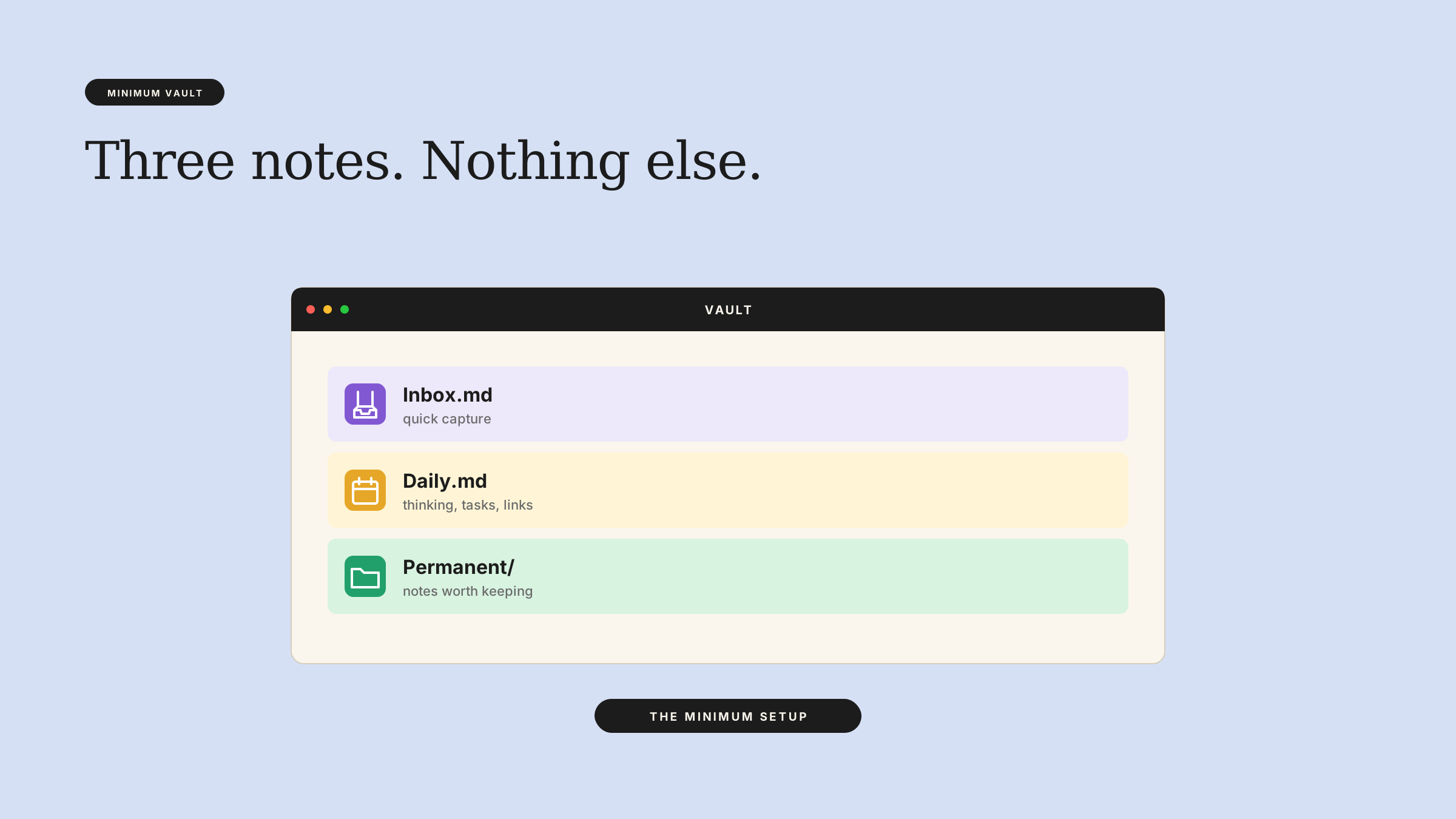
If you want an obsidian beginner setup that sticks, use three parts and stop there:
- One inbox note for quick capture.
- One daily note for messy thinking, tasks, and links.
- One folder for permanent notes you actually want to keep.
That’s enough to make a simple obsidian workflow work. You do not need ten folders. You do not need a color code for every note type. You do not need to decide whether you’re building PARA, Zettelkasten, or a museum of your own productivity.
Start by writing notes in the daily note when you’re thinking fast. When something feels worth keeping, move it into the permanent notes folder and give it a plain title. That’s it.
A tiny system works because it lowers the cost of writing. You spend less time deciding where a note belongs, so you spend more time making the note useful.
What not to customize early
Most obsidian rabbit holes look productive from the outside. They aren’t.
Skip plugins until you feel a real pain, not a theoretical one. If you haven’t used the app for a few weeks, you don’t know what you need yet. You know what sounds clever.
Also skip heavy formatting rules. Don’t invent a naming convention so strict that you need a cheat sheet. Don’t obsess over link graphs if you barely have links. And don’t build templates for every possible note before you’ve written five notes from scratch.
The urge to customize usually hides a simple fear: if the system feels perfect, you won’t blame yourself later. But Obsidian doesn’t need a perfect system. It needs a system you’ll still use on a tired Tuesday.
When to add complexity, and when not to
Add complexity only after the simple version breaks in a specific way.
If you keep forgetting where tasks live, add a task note. If your daily notes become cluttered, split out reference notes. If you keep re-reading the same source material, add a better structure for source notes and permanent notes.
That’s a good rule for almost every Obsidian decision. Solve the problem you have, not the one you imagine.
This matters because Obsidian can absorb endless improvement work. You can always make it prettier. You can always make it more “coherent.” You can always spend another hour on folders, tags, and templates. But if the system doesn’t help you capture and review notes this week, the polish doesn’t count.
Here’s the practical test: if a change doesn’t make you write, find, or reuse notes faster within a few days, it probably belongs in the “later” pile.
The version of Obsidian that works for most people
The best setup is boring in a good way. Capture fast. Review lightly. Keep a small number of places to put things.
That’s what makes Obsidian useful instead of performative. It stops being a project and starts being a notebook that grows with you.
If you want to go further, do it slowly. Add one new rule, one new folder, or one plugin at a time. Then live with it long enough to know whether it helps. Most people never give their system that kind of test. They keep redesigning it instead.
So if you’ve been wondering does obsidian actually work, the answer is yes — when you strip it down to the smallest setup you’ll actually open tomorrow, not the fanciest one you can imagine.
You can use Draft and Arc to design that kind of low-friction Obsidian system around your own notes, course material, and review habits.