If Coursera feels too theoretical, the problem usually isn’t the course. It’s the way you’re moving through it.
A lot of certificate learners collect clean notes, finish quizzes, and still can’t do the thing outside the lesson. That gap shows up fast when a course explains concepts well but never forces you to build, write, solve, or explain on your own. The fix is simple to say and harder to do: turn every lesson into a small act of practice.
Why theoretical courses stall progress
Theory feels safe. You can watch a lecture, underline a definition, and tell yourself you understand the material.
Then you face a blank page, a messy dataset, a customer question, or a coding task. That’s when the course content and real work stop matching.
This happens a lot in certificate courses because the structure rewards recognition more than recall. You know the right answer when you see it, but you haven’t practiced producing it.
So if you want coursera certificate practical projects instead of polished notes, you need a different rule: every lesson should leave behind something you can point to.
How to convert each lesson into practice
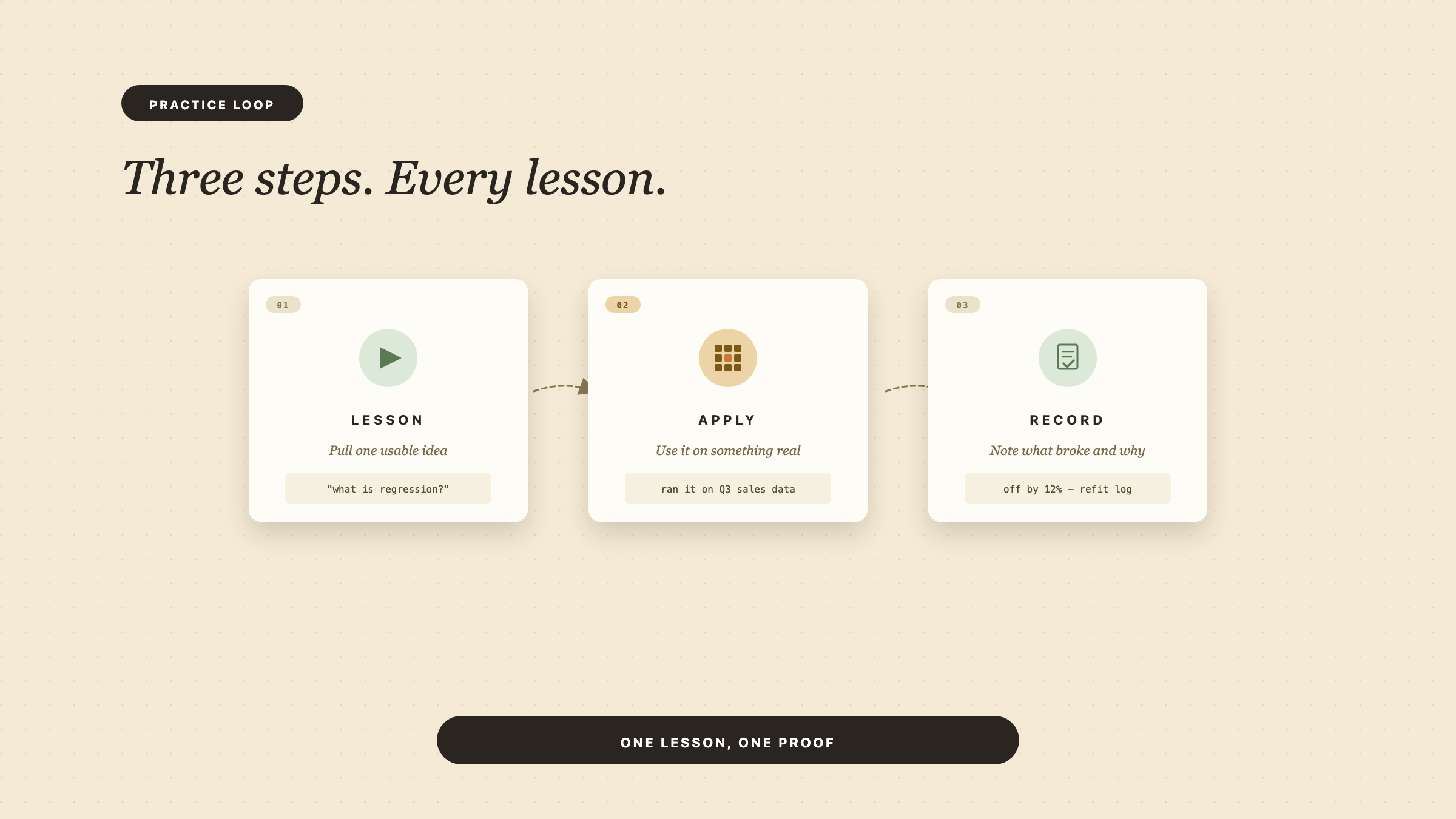
Use a three-step loop for every lesson.
1. Pull out one usable idea.
Don’t write down the whole lecture. Write one concept in plain language. If the lesson covered a framework, a process, or a formula, compress it into one sentence you could explain to a coworker.
2. Apply it immediately.
Take that idea and use it on something concrete. If the course is about product management, rewrite a feature request as a problem statement. If it’s data analysis, run the concept on a small spreadsheet. If it’s marketing, draft one email or one landing page headline.
3. Record the result.
Keep a note with what you tried, what broke, and what you’d change next time. That turns passive learning into a repeatable coursera learning workflow.
This is where notes matter. In Draft and Arc, notes store the course title, lesson title, chapter title, and the content itself, so you can keep your practice tied to the exact lesson that sparked it. That matters more than it sounds. If your note just says “important concept,” you won’t use it again.
Adding projects to a certificate course
Most people wait until the end of a course to “do a project.” That’s too late.
Instead, build one tiny project per chapter. It can be ugly. It can be incomplete. It just needs to force you to use the lesson.
Here’s what that looks like in practice:
- A business course: summarize one real company problem in a one-page memo.
- A coding course: build one small function from scratch without copying the walkthrough line by line.
- A design course: recreate one screen, then change it for a different user goal.
- A writing course: rewrite one weak paragraph until it actually argues something.
By the end, you don’t have “course completion.” You have raw material for a portfolio, a case study, or a work sample. That’s the core of turn certificate lessons into practice.
If your course allows document-based setup, Draft and Arc can create a course from a prompt or a PDF upload, then generate a syllabus and estimated hours. That makes it easier to start from your actual material instead of a generic outline. It also supports course settings like daily learning minutes, course duration, quiz frequency, and Feynman frequency, so you can shape the course around the way you study.
Using notes, prompts, and checkpoints
Practice falls apart when you never check whether you can still use the material.
Build checkpoints into the week.
After a lesson, ask yourself three things:
- Can I explain this without the slide in front of me?
- Can I use this in a small task?
- Can I spot a real example of it somewhere else?
If the answer is no, the lesson stays theoretical. If the answer is yes, you’re moving from recognition to application.
That’s where a tool like a Feynman prompt helps. The Feynman technique means explaining a concept in simple words as if you had to teach it to someone else. Draft and Arc stores a Feynman prompt and records your response, AI feedback, score, pass/fail, and submission time. That gives you a built-in checkpoint instead of a vague feeling that you “kind of get it.”
Quiz results help too, but only if you treat them as a diagnostic, not a finish line. Draft and Arc stores question-level results, score, pass/fail, and attempted time, so you can see where you actually missed the point.
Use your notes the same way. In the app, a note saves the course, lesson, chapter, content, and timestamps. That makes it easier to return to the exact place where you started drifting from theory into practice.
What real progress looks like by week four
By week four, you should not just feel familiar with the course.
You should have evidence.
That evidence can look like:
- one short project per chapter,
- a note set that shows your own examples, not copied summaries,
- a few quiz misses you corrected,
- at least one concept you can explain out loud,
- a lesson or two you used in a real task.
If you have all that, the course has started to pay off. If you only have completed modules and tidy notes, the course still lives in your head, not your hands.
This is also where pacing matters. Draft and Arc course settings default to 20 daily learning minutes and a 14-day duration, which is a useful reminder that consistency beats marathon sessions. Short practice blocks make it easier to apply one lesson at a time instead of hoarding theory for later.
One more useful detail: lessons can generate lazily when missing, and chapter warming can background-generate missing lessons. That means you can keep moving through the course while the next piece loads in the background. For a learner trying to maintain momentum, that matters.
The fastest way to make a course useful
Stop asking whether the course sounds practical. Start asking what you can do with each lesson today.
If you can answer that, coursera feels too theoretical stops being a dead end. It becomes a signal that you need a better practice loop.
Draft and Arc is built around that loop: course, lesson, note, quiz, Feynman response, progress. It gives you a place to turn lessons into something you can actually use.
Want to go deeper? Try this on Draft and Arc: Build me a practice-first study plan for a Coursera course on [topic] so I finish with projects, not just notes.