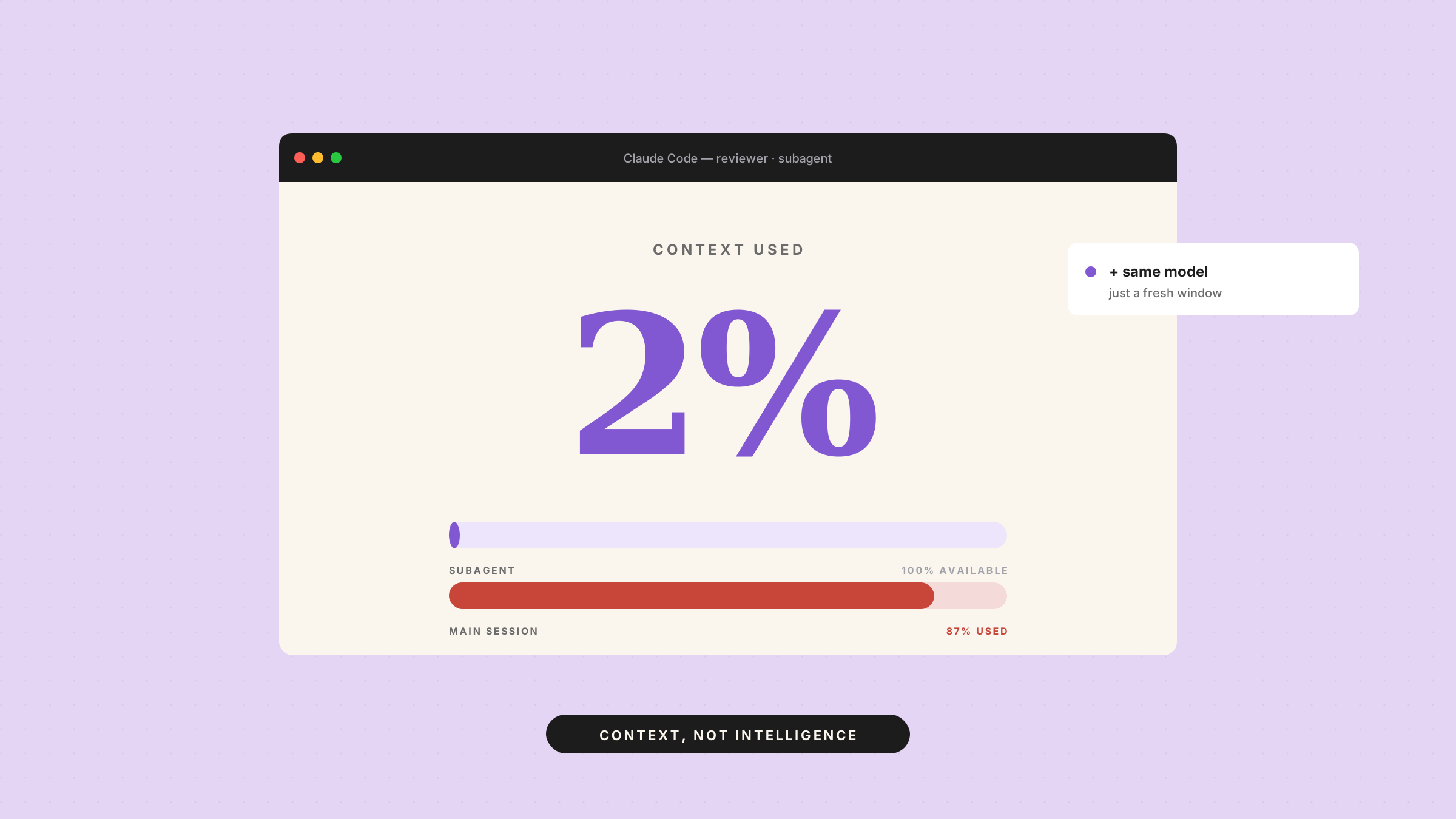
A subagent will not make Claude smarter. It runs the same model, on the same account, that your main session is already using.
What it gives you is a second, empty context window, a clean room to do one job in, without dragging the clutter of your main session along. Once you picture Claude Code subagents that way, most of the confusion about when to reach for one disappears.
What a Claude Code subagent actually is
A subagent is a separate Claude session your main session can hand a task to. It has its own context window, its own instructions, and, if you set it up that way, its own narrow set of tools, including any MCP servers you’ve connected.
You define one as a markdown file, in .claude/agents/ for a single project, or ~/.claude/agents/ to make it available everywhere. The file says, in plain language, when the subagent should be used and how it should behave. Your main session reads that description, decides a task matches, and delegates.
The word that matters is separate. The subagent never sees your full conversation. It receives the task, works in isolation, and hands back a result. The thousands of tokens it burns reading files and reasoning never touch your main thread.
The real benefit is context, not intelligence
Most people reach for a subagent hoping for a better answer. That’s the wrong reason.
The model is identical. What changes is what the model is looking at. Your main session, after an hour of work, is full, old file reads, an approach you abandoned, three tangents you’ve since dropped. That clutter quietly degrades every new answer.
A subagent starts clean. Hand it “find every place we call the billing API and list the files,” and it reads twenty files in its own context, then returns five lines. Your main thread gets the five lines, not the twenty files. You spent the tokens where they won’t cost you for the rest of the session.
When a Claude Code subagent is worth the overhead
Delegating isn’t free. There’s a handoff, a second context to spin up, and the wait for it to finish. A subagent pays for that cost when:
- The task is self-contained. Clear input, clear output, little back-and-forth. “Review this diff for security issues” qualifies. “Help me think through the architecture” does not.
- It would otherwise flood your main context. Anything that means reading a lot to produce a little, searching the codebase, combing logs, summarizing a long file.
- You want it running in parallel. Fire off three subagents to investigate three suspects at once instead of working through them one by one.
- You’ll reuse it. A reviewer, a test writer, a researcher you call again and again is worth defining once.
A useful test: if you can write the task down completely before starting, it’s a candidate for a subagent. If you’d need to watch and steer, keep it in the main thread.
When to skip it and stay single-agent
Stay where you are when the task needs the context you already built. A subagent starts blind, so if briefing it takes longer than the work, don’t delegate.
Skip it for quick one-offs, too. The overhead isn’t worth it for something you’ll do once in ten seconds. For a repeated prompt that isn’t a whole job, a slash command is the lighter tool.
And skip it when the work needs tight back-and-forth with you. Subagents are built to take a job and return a result, not to iterate turn by turn. Force a conversation through one and it feels like emailing a contractor who answers once a day.
How to use subagents in Claude Code
To create one, add a file like .claude/agents/reviewer.md:
---
name: reviewer
description: Use to review code changes for bugs and security issues
tools: Read, Grep
---
You review diffs. Report only real issues, ranked by severity.
Skip style nits. If nothing is wrong, say so in one line.
The description does more work than people expect. Claude Code reads it to decide, on its own, when to route a task to that subagent. “Use to review code changes for bugs and security issues” gets picked up automatically when you ask for a review. A vague description gets ignored. You can also invoke a subagent explicitly when you want to force it.
Keep the tool list tight. A reviewer that can only read files can’t accidentally edit them. Narrow tools make a subagent safer and easier to predict.
A word on “awesome” subagent lists
Search for awesome claude code subagents and you’ll find community repositories collecting dozens of ready-made agents, reviewers, refactorers, doc writers, the lot. They’re a good way to see how other people phrase a subagent’s instructions.
They’re also a trap if you install them by the dozen. Every subagent you add is one more description your main agent has to weigh, and one more thing routing your work that you don’t fully understand. Take one or two ideas, rewrite them in your own words, and grow from there.
The teams that get the most out of subagents don’t have the most of them. They keep a small number of sharp, well-described ones, and a clear sense of which jobs deserve a clean room instead of a crowded one.
If you want to go from using agents to actually understanding how they work, that’s its own skill worth learning properly. Draft and Arc can turn a topic like “how AI agents work” into a structured course, lessons and quizzes from a single prompt, instead of one more tab you skim and forget.